Dashboard Overview
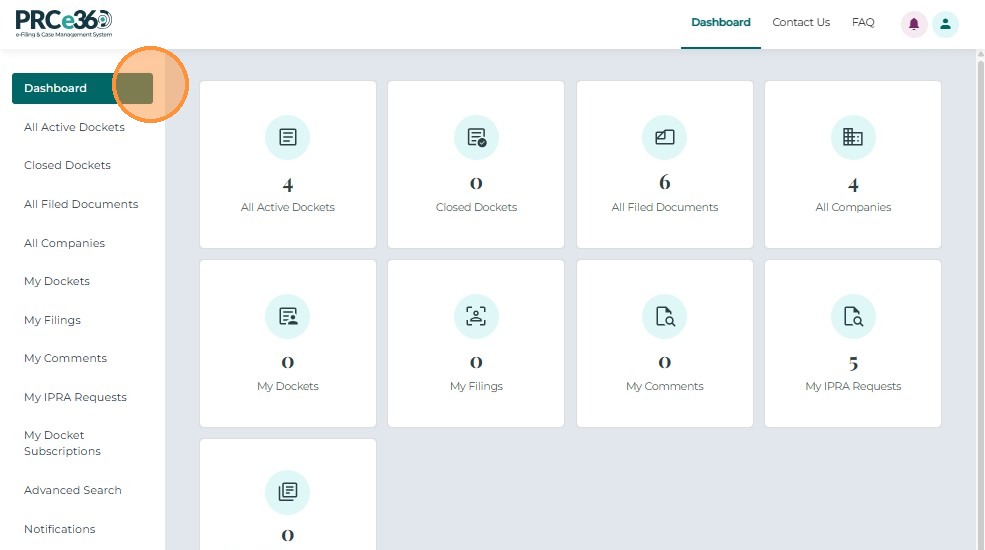
Once you log in to the Public Portal, the system opens your Dashboard, which serves as your main workspace and navigation area.
From here, you can access your Dockets, filings, company records, and notifications based on your user type (Tier 1 or Tier 2).
- Tier 1 Users: Can log in immediately after registration.
- Tier 2 Users: Can log in once their registration has been reviewed and approved by PRC staff.
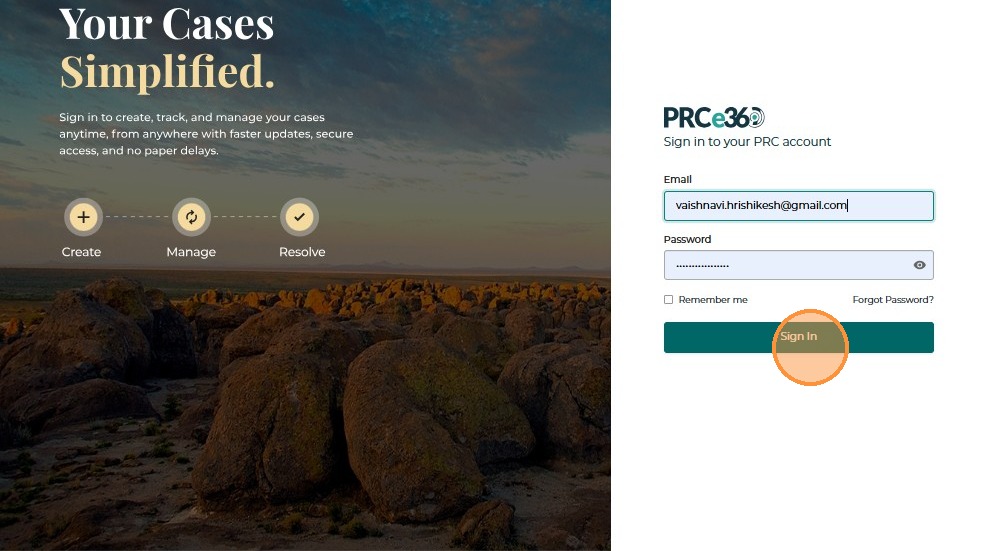
To log in, enter your registered email address and password, then click Sign In.
After a successful login, the system automatically redirects you to your dashboard.
Understanding the Dashboard
Your dashboard provides quick access to all major areas of the Public Portal.
Each tile or menu option represents a specific function, such as viewing dockets, submitting filings, or managing company information.
| Dashboard Functionality | Available To | Description |
|---|---|---|
| Dashboard (Home Screen) | Tier 1 & Tier 2 | Displays key activity summaries — dockets, filings, companies, and user actions. |
| All Dockets | Tier 1 & Tier 2 | View all public dockets in the system with search and filter options. |
| Closed Dockets | Tier 1 & Tier 2 | View dockets that have been marked as closed or resolved. |
| All Filings | Tier 1 & Tier 2 | View all public filings submitted to the Commission. |
| All Companies | Tier 1 & Tier 2 | View a list of companies registered within the system. |
| My Dockets | Tier 1 & Tier 2 | Tier 1 – Shows formal complaints and filings submitted by you. Tier 2 – Shows all dockets you have created or filed into. |
| My Filings | Tier 1 & Tier 2 | Displays filings submitted by you (Tier 1 – comments/IPRA requests; Tier 2 – formal filings included). |
| My Companies | Tier 2 Only | Lists companies you have registered or manage. |
| My IPRA Requests | Tier 1 & Tier 2 | Lists IPRA requests you have submitted with their statuses. |
| My Docket Subscriptions | Tier 1 & Tier 2 | Manage notifications for Dockets you are following. |
| Notifications | Tier 1 & Tier 2 | View alerts such as filing updates, hearing notices, and messages. |
| Profile | Tier 1 & Tier 2 | Update your contact information, email, phone, and password. |

Navigating the Sidebar
Use the left-side navigation panel to move between dashboard sections:
- Dashboard
- All Dockets
- Closed Dockets
- All Filed Documents
- All Companies
- Notifications
- Profile
Each section opens in a new view and provides search and filter tools to help you find the information you need quickly.
Submit New Button
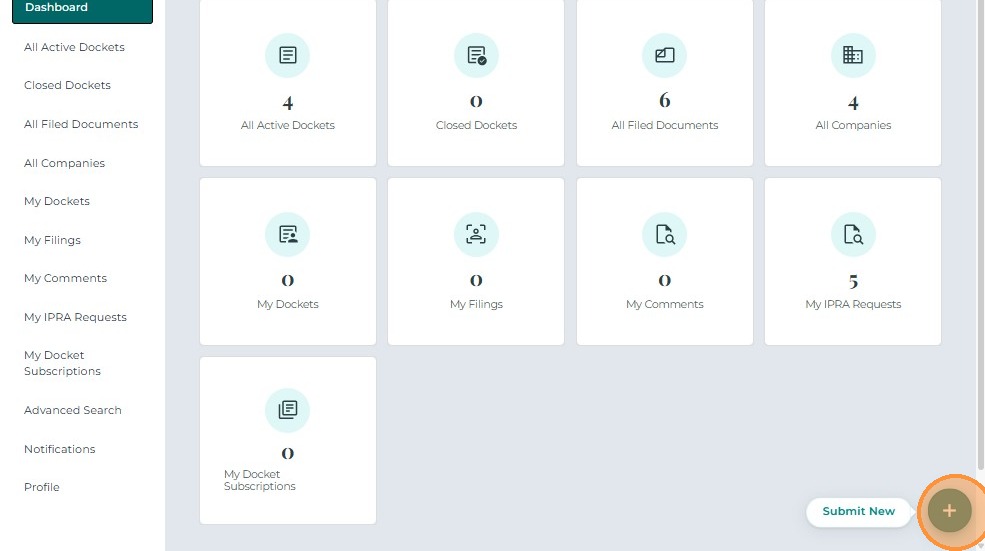
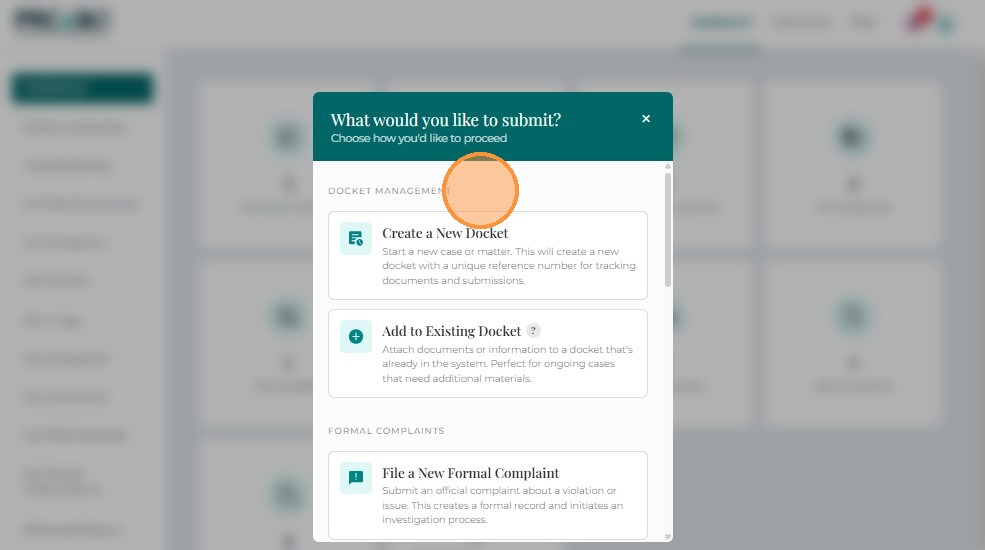
Both Tier 1 and Tier 2 users can create new submissions from the "+ Submit New" button located at the bottom-right corner of the screen.
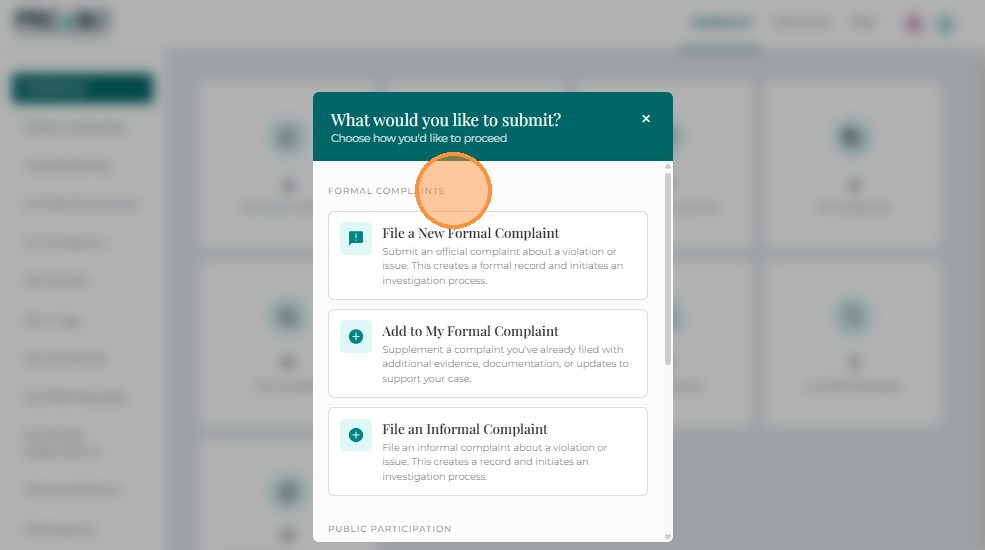
Clicking this button opens a menu showing all available submission options.
Tier 1 Users
Tier 1 users can use the Submit New menu to:
- Submit a Formal Complaint
- File into My Formal Complaint
- Submit Rulemaking Comment
- Submit Public Comment
- Submit IPRA Request
Tier 2 Users
Tier 2 users have extended filing permissions. They can initiate new dockets, submit filings, and manage company records.
To create a submission:
- Click the "+ Submit New" button at the bottom-right corner.
- Choose the required option from the list below.
| Action | Description |
|---|---|
| File a New Docket | Create and submit a brand-new docket (Docket). |
| File Into Existing Docket | Add documents or responses to an existing Docket. |
| Submit a Formal Complaint | File a formal complaint against a utility or company. |
| File Into My Formal Complaint | Add additional filings to a complaint you previously submitted. |
| Submit Rulemaking Comment | Provide feedback or input for an ongoing rulemaking Docket. |
| Submit Public Comment | Submit comments on non-rulemaking public Dockets. |
| Submit IPRA Request | File a Public Records (IPRA) request. |
| Register New Company | Register a company for future filings. |
| Request Company Management Access | Request management rights for an existing company (requires approval). |
Dashboard Navigation
The dashboard is organized into several main sections. Use the links below to navigate to detailed guides for each section:
- Viewing Dockets - Learn how to view all dockets, closed dockets, and use the Case 360 view
- Documents and Companies - Access filed documents and company information
- My Dockets - Manage your personal dockets
- My Items - View your filings, companies, IPRA requests, and subscriptions
- Dashboard Tools - Use advanced search, notifications, and profile settings
Common Tasks from Dashboard
Submitting New Items
From the Submit New button, you can:
Tier 1 Users:
- Submit a Formal Complaint
- File Into My Formal Complaint
- Submit Rulemaking Comment
- Submit Public Comment
- Submit IPRA Request
Tier 2 Users (all Tier 1 options, plus):
Managing Your Account
- Update User Profile - Edit your contact information
- Request Tier 2 Access - Upgrade from Tier 1 to Tier 2 (Tier 1 users only)
Finding Information
- Advanced Search - Search for dockets and documents
- Viewing Dockets - Browse all public dockets
- Documents and Companies - View filed documents and company information
Related Guides
- Quick Start Guide - Get started based on what you want to do
- New User Registration - Learn about user types and registration
- Viewing Dockets - Detailed guide to viewing dockets
- My Dockets - Manage your personal dockets
- My Items - View your filings and requests
- Dashboard Tools - Advanced search and notifications
- Troubleshooting - Solve dashboard and navigation issues
- FAQ - Common questions about the dashboard